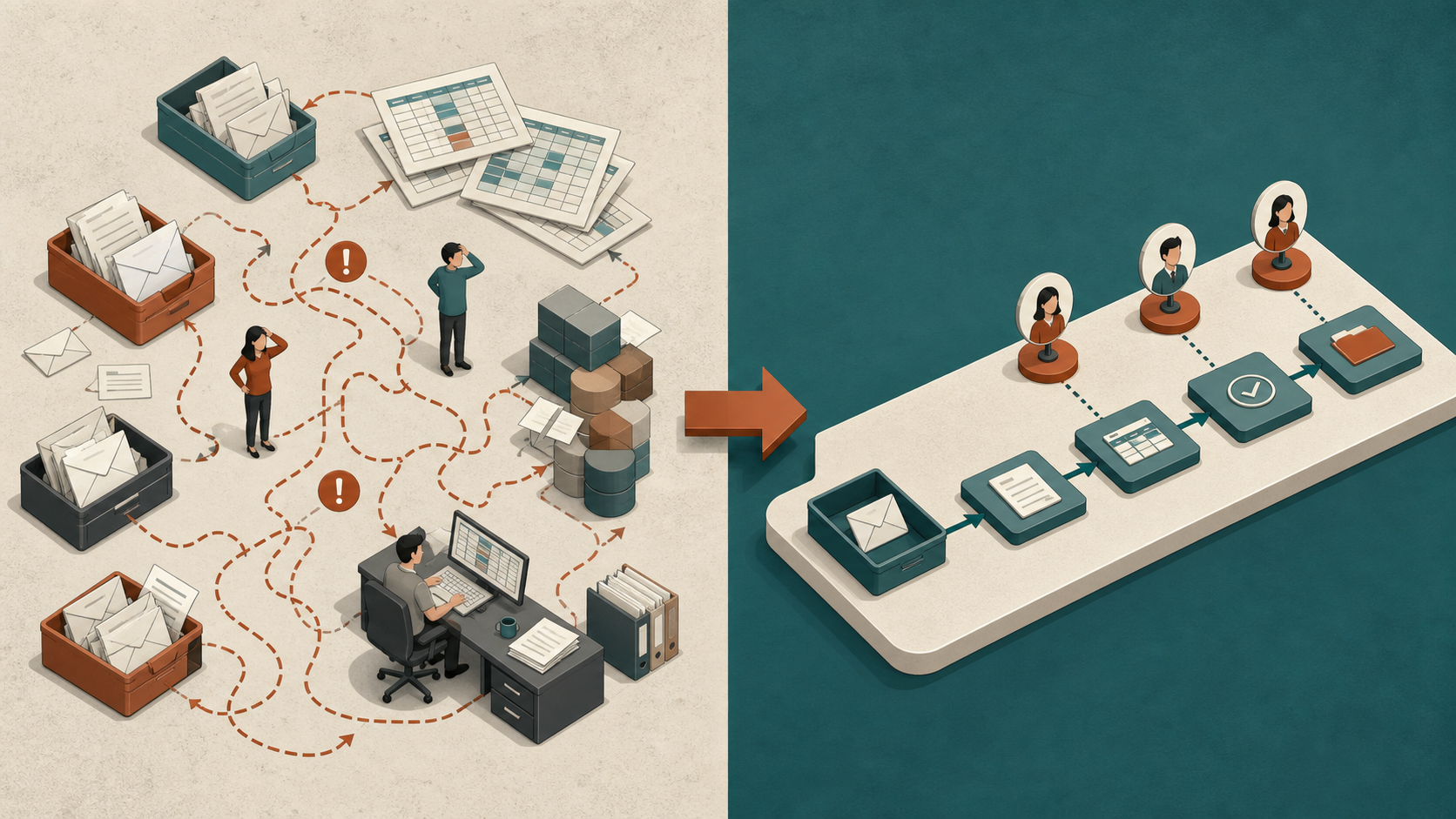
The best automation projects begin with a workflow, not a product. If you can describe the trigger, steps, exceptions, people, systems and desired result, you can decide whether simple rules, integration, AI or a process change is the right response.
Prioritise work that is frequent, slow, error-prone and valuable—but reasonably consistent. High pain alone does not guarantee an easy automation project.
Automation versus AI
Automation follows a defined sequence: when this happens, perform that action. Integration moves data between systems. AI is useful when the input contains language, images or patterns that rigid rules cannot handle economically. Many strong solutions combine all three.
Use the simplest dependable mechanism. A validation rule may be safer than a model; an API connection may remove more work than a chatbot.
Warning signs that a workflow is ready
Look for repetition, copying between systems, long queues, approval bottlenecks, errors, rework and dependence on one person’s memory. Ask staff which task they postpone because it is tedious and which information they repeatedly search for.
A candidate becomes stronger when the output is easy to check, exceptions are visible and a mistake has limited consequence.
Score frequency, time, risk and value
Estimate how often the work occurs, minutes per instance, people involved and downstream value. Then assess variation, sensitive data, error cost and integration effort. A large time estimate with high uncertainty should lead to discovery work, not an aggressive savings promise.
Include waiting time separately from hands-on time. Automation may create its greatest benefit by removing a three-day hand-off even when the task itself takes only ten minutes.
Document the current workflow
Start with a real recent example. Map the trigger, information source, decisions, actions, hand-offs and completion signal. Mark every place data is retyped, an approval waits or someone uses undocumented knowledge.
Separate the normal path from exceptions. Automating the normal path while routing unusual cases to a person is often more reliable than forcing complete automation.
Design a small first release
Limit the first release to one trigger, one team and one measurable outcome. Keep a manual fallback and make the approval point obvious. Log what the system received, suggested and changed so problems can be investigated.
Measure completion time, error or rework, throughput, staff experience and customer impact against the baseline. If the workflow changes, update documentation and ownership rather than letting the automation become invisible infrastructure.
Workflow priority calculator
Frequently asked questions
Should the most annoying task always be automated first?
Not necessarily. Frustration identifies pain, but the task may be rare, highly variable or risky. Score frequency, time, error, value and feasibility together. A slightly less painful workflow can be a much better first release if it is consistent, measurable and connected to accessible systems.
What is the difference between workflow automation and integration?
Integration allows systems to exchange information. Workflow automation coordinates events, rules, people and actions across a process. An integration might copy an approved customer record; the workflow decides when approval is needed, who handles exceptions and what completion means. Most useful operational systems need both.
When does a workflow need AI?
AI becomes relevant when inputs contain variable language, images or patterns that would be expensive to express as rules. Examples include document classification or summarisation. If the decision can be specified precisely, conventional rules are usually easier to test and explain.
How should exceptions be handled?
List common exceptions during discovery and route them visibly to a person. Do not conceal them in a generic error queue. Record why the normal path failed and use that evidence to decide whether the workflow should expand. A system that handles 70 percent reliably can still be valuable if the remainder is well managed.
What baseline should be recorded?
Measure frequency, hands-on time, waiting time, errors, rework, completion and relevant customer outcomes. Use a representative period and preserve examples. Without a baseline, teams often overestimate savings or confuse a short-term novelty effect with a durable improvement.
When should an automation be stopped?
Stop or redesign when checking takes as long as the original work, exceptions dominate, errors are hard to detect, users work around the system or the underlying process has changed. Stopping a weak pilot is good governance and protects resources for a stronger opportunity.
A sensible next step
A concrete example is enough to begin. Tin Shed can map the current work, identify the right mechanism and shape a small first release.
Prepared by Tin Shed Software as practical general information. Any AI-assisted workflow should be reviewed for accuracy, privacy, security and suitability before it affects customers or business decisions.